Skip to content

A calm, fast home screen for your TV

Your apps and channels on one screen, arranged the way you like. Everything works with the remote, and two built-in tools take care of files and apps.

Free for Android TV and Google TV · 15 languages

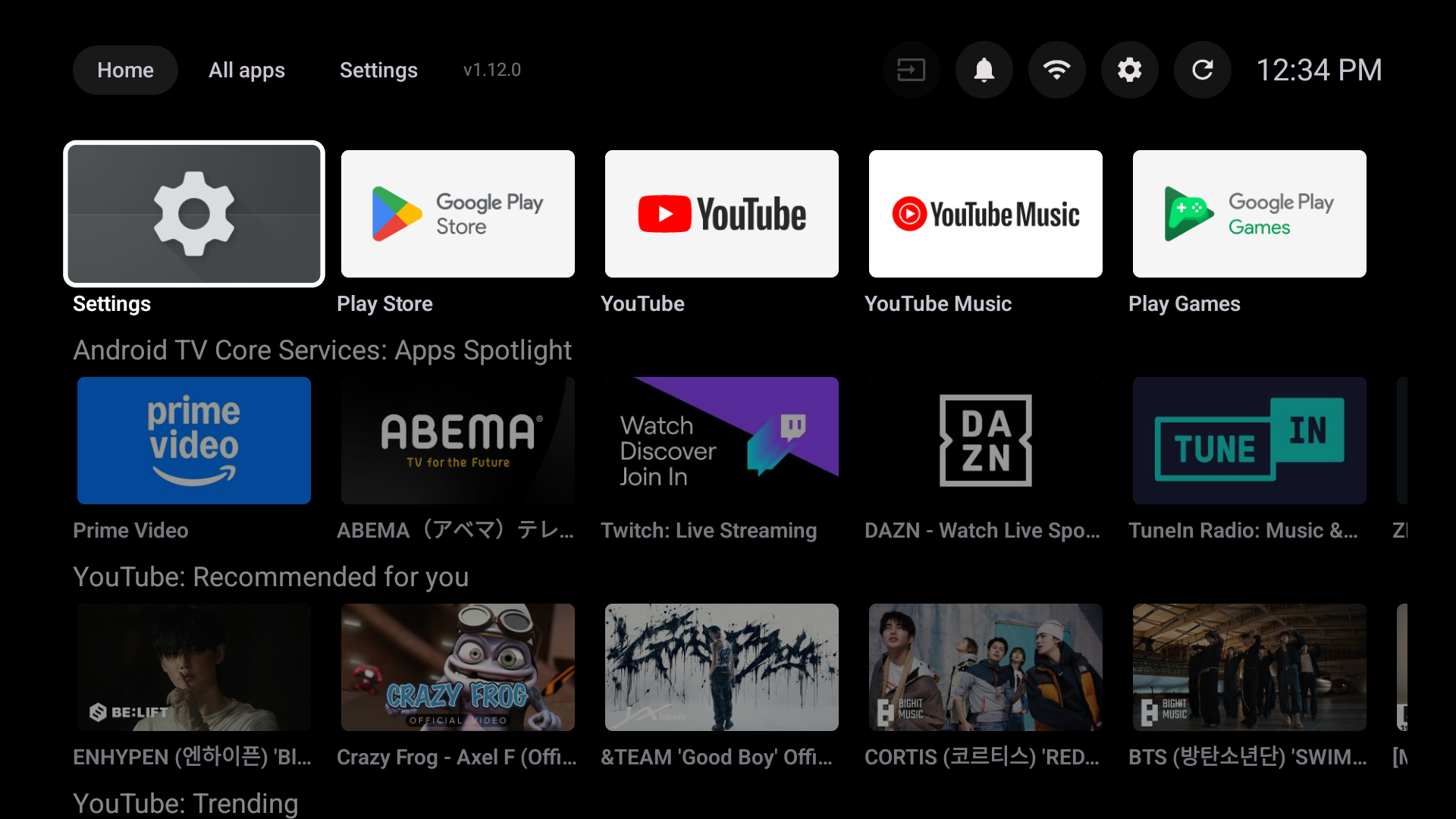
The Mudrock TV Launcher home screen: a row of apps, then rows of programmes from Prime Video, Twitch, DAZN and YouTube.

Everything on one screen

Mudrock TV Launcher replaces the busy stock home screen with one you control.

  • Apps and channels together

    Pin your favourite apps to the Home row, with Watch Next and the channels your apps publish underneath. Switch off the rows you don't watch.

  • Every app, your way

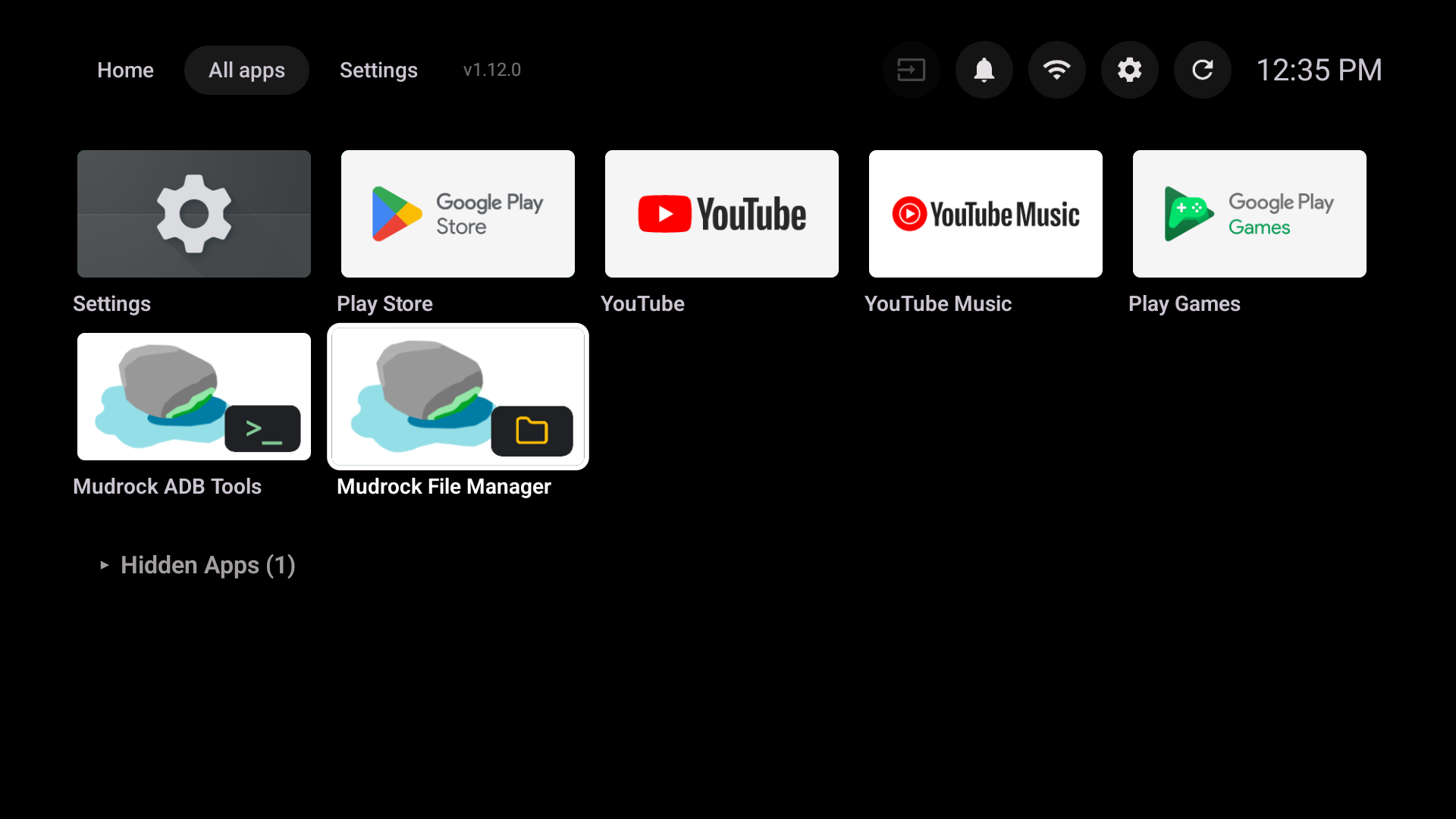
    Move, hide and add apps to Home from the All apps grid, and switch HDMI inputs from the toolbar.

  • Guided first setup

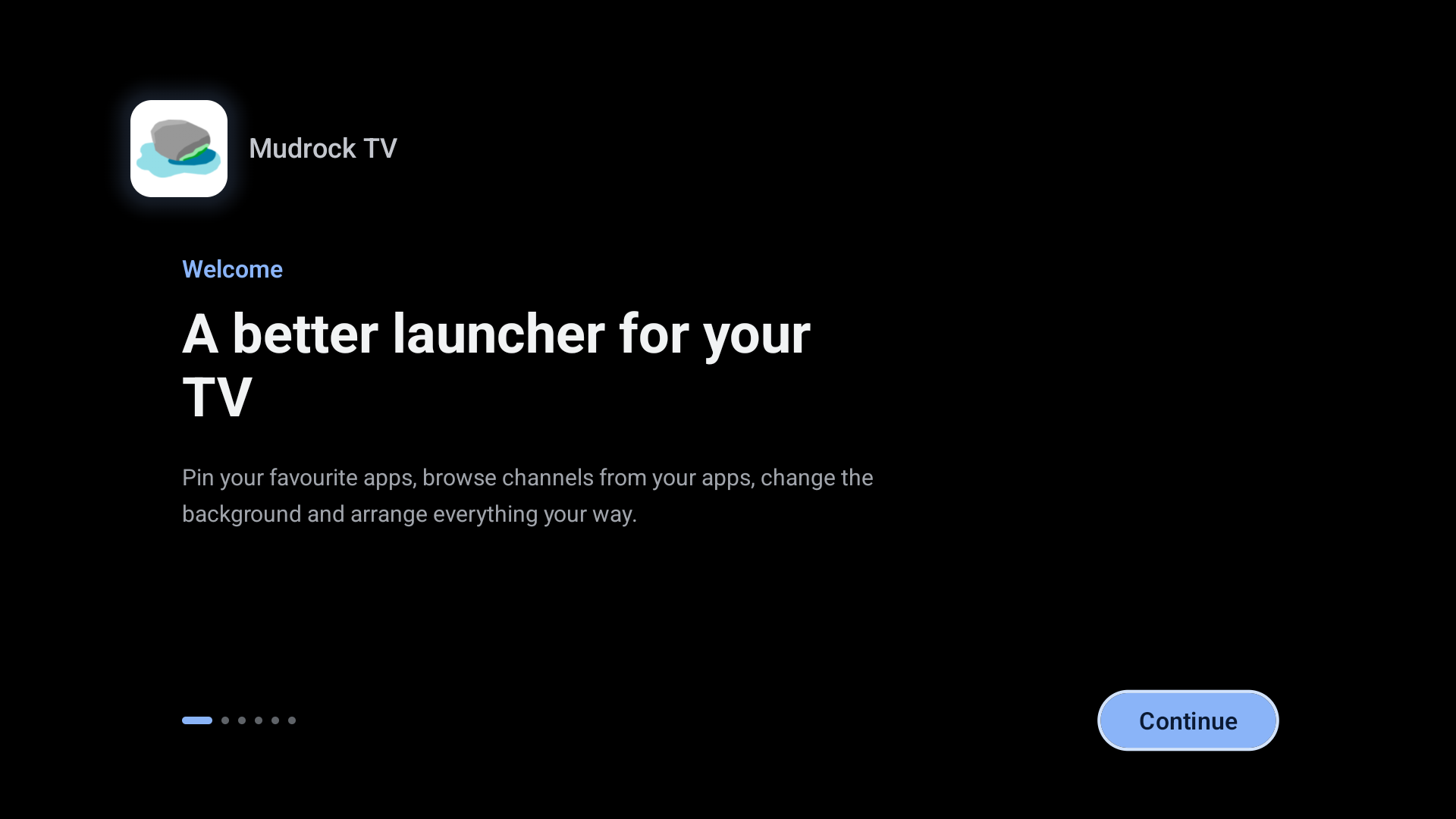
    A short welcome asks for the permissions the launcher needs, offers to restore a backup, and lets you choose Normal or Large display size.

  • Make it your home screen

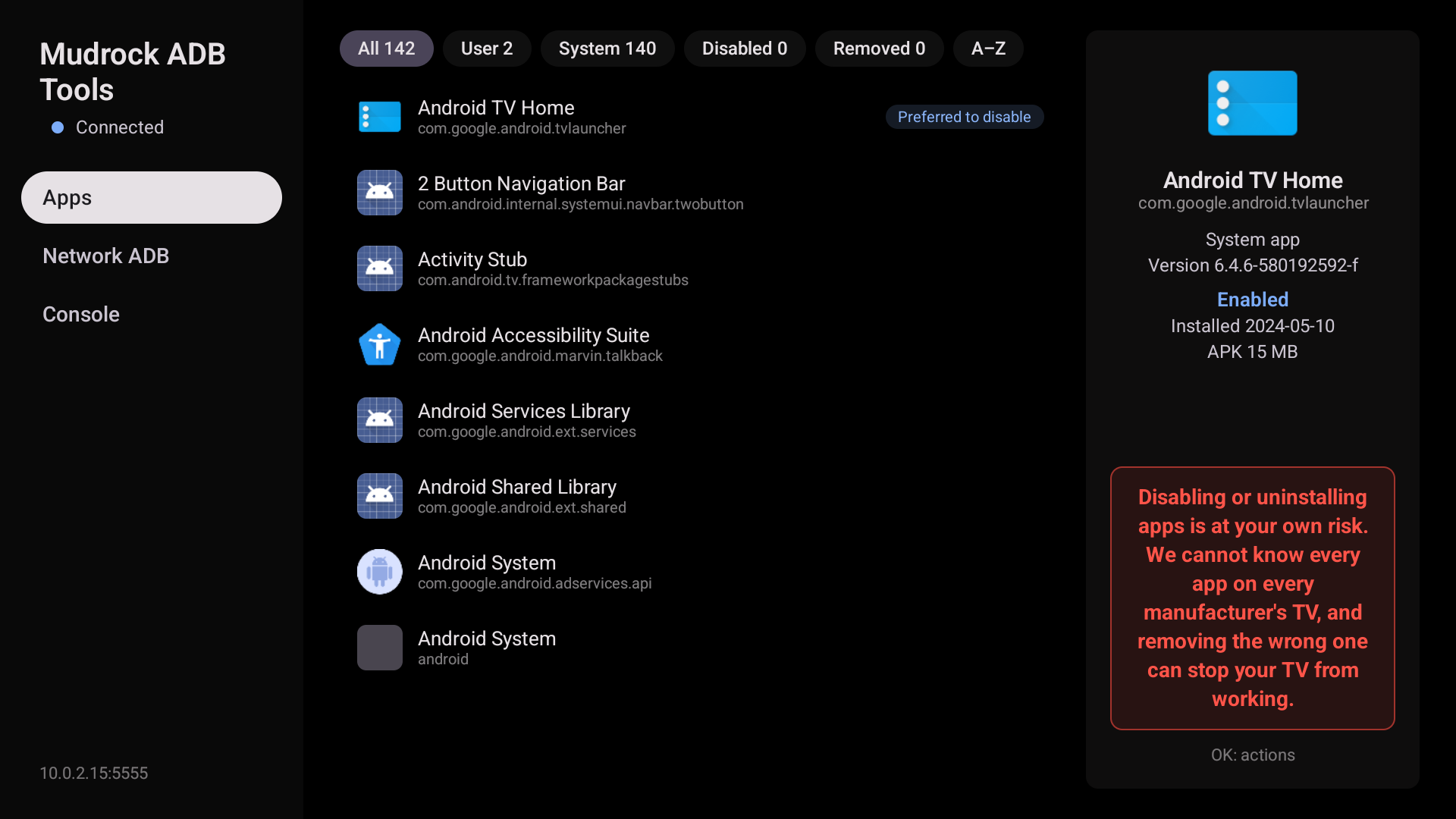
    Mudrock ADB Tools lists the TV's own launcher first and marks it as preferred to disable, so the Home button brings you back here.

  • Make it look right

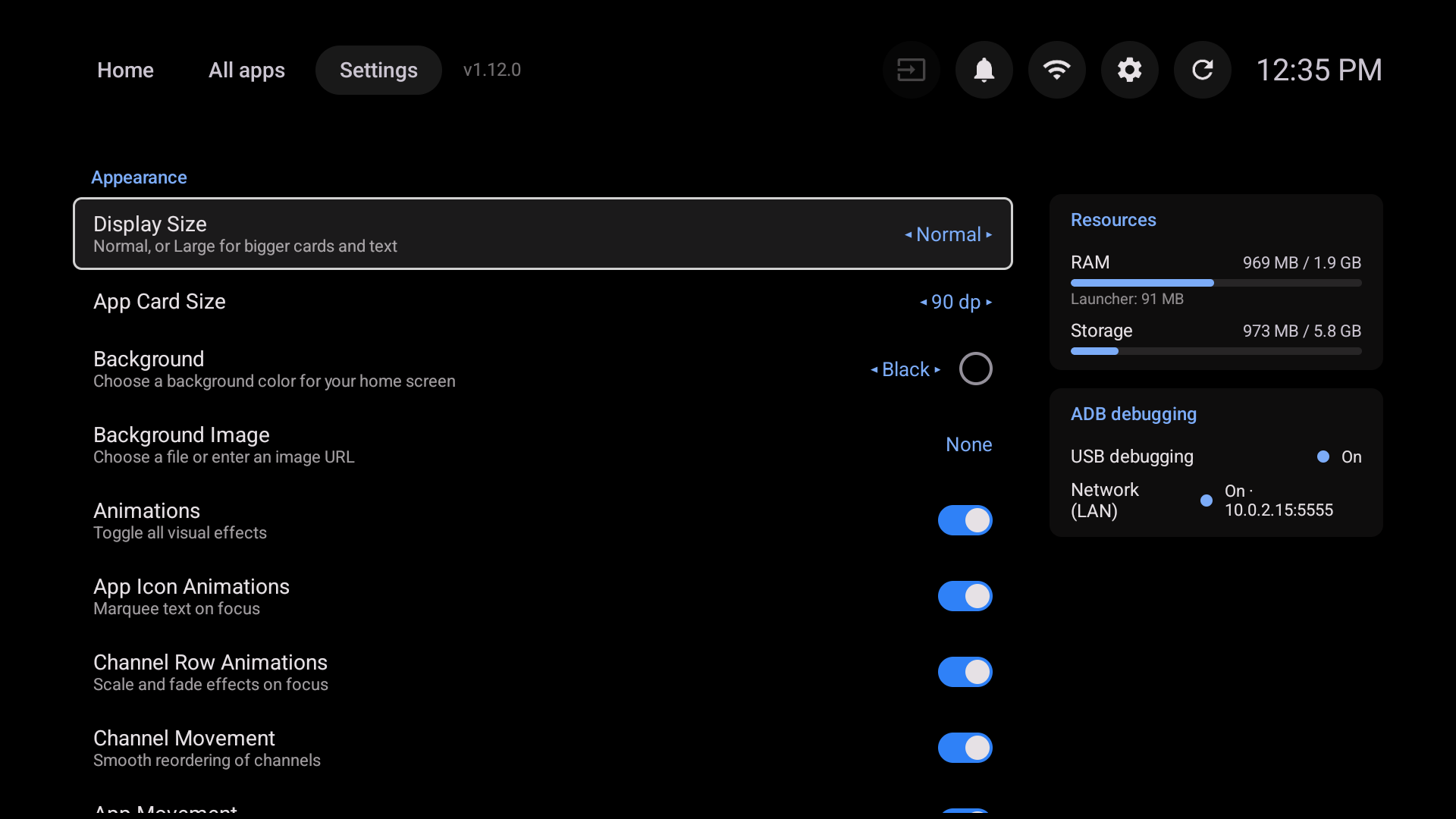
    Choose Normal or Large display size, card sizes, a background colour or your own picture, and which animations play.

  • Back up and restore

    Save your layout and settings to the TV's storage, then bring them back after a reinstall or on another TV.

  • 15 languages

    The launcher follows your TV's language: English, Türkçe, Deutsch, Français, Español, Italiano, Português, Русский, العربية, हिन्दी, Bahasa Indonesia, 日本語, 한국어 and 简体中文.

  • Made for the remote

    Every screen works with the D-pad. OK opens, holding OK shows more options, and Back always takes you out.

Two tools, built in

They open from All apps like any other app, and run separately from the launcher, so they never slow it down.

Mudrock File Manager

A full file manager for the TV, laid out for the remote.

  • Browse internal storage, USB drives and SD cards, or every image, video, audio file, document and APK at once.
  • Copy and move by browsing to the destination folder, one file or a whole selection.
  • Zip and unzip, search, bookmarks, a grid or list view and two folders side by side.
  • View pictures and text on the TV, and install APKs after checking what they are.
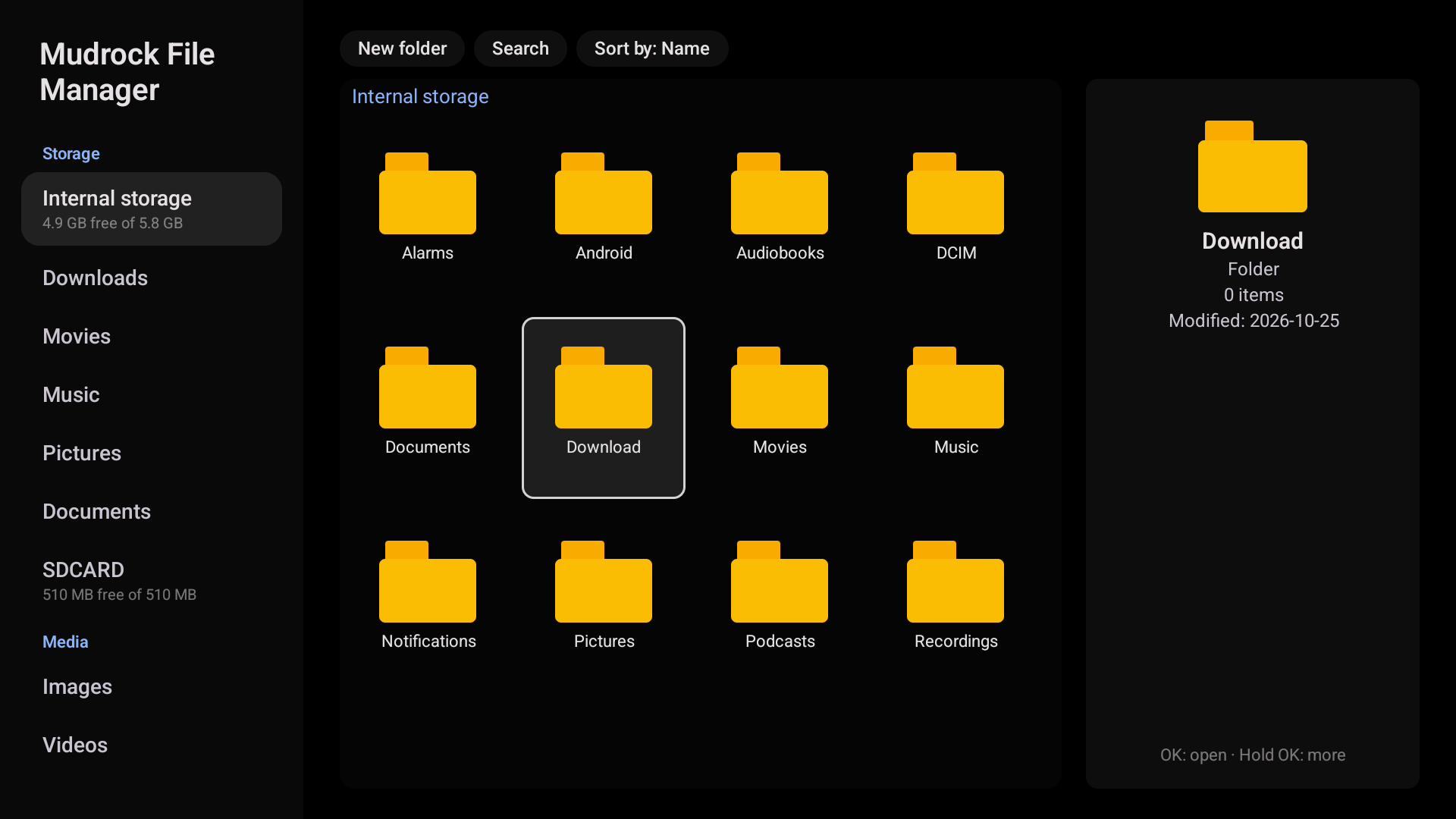
Mudrock File Manager showing the folders of internal storage as a grid, with storage, media and bookmarks in the sidebar.

Mudrock ADB Tools

Advanced controls for your TV, through its own debugging connection.

  • Disable or remove pre-installed apps you don't use. Doing so is at your own risk, and every change asks first.
  • The TV's own launcher sits at the top, marked as preferred to disable.
  • Turn USB and network debugging on or off, and connect over your home network.
  • Run shell commands from a built-in console.
Mudrock ADB Tools listing installed apps, with Android TV Home at the top marked as preferred to disable.

Screenshots

Select a screenshot to open it at full size.

  • Home: favourite apps, then channel rows from your apps.
    Home: favourite apps, then channel rows from your apps.
  • All apps: every app in a grid, including the File Manager and ADB Tools.
    All apps: every app in a grid, including the File Manager and ADB Tools.
  • Settings: display size, card sizes, background and animations, next to RAM and storage use.
    Settings: display size, card sizes, background and animations, next to RAM and storage use.
  • Guided setup: the welcome page of the first-run setup.
    Guided setup: the welcome page of the first-run setup.
  • File Manager: internal storage as a grid.
    File Manager: internal storage as a grid.
  • ADB Tools: installed apps, with the TV's own launcher first.
    ADB Tools: installed apps, with the TV's own launcher first.

Accessible by design

Everyone should be able to find and open their apps. The launcher is built for people with low vision and for people who use a screen reader.

  • Larger text and cards

    Switch Display Size to Large for bigger cards and text, or fine-tune App Card Size and Channel Card Size until they are comfortable to read from the sofa.

  • Works with screen readers

    Every app, tab and setting has a spoken label. As you move, the TV's screen reader tells you what is focused, its current value and where you are in a list, such as "2 of 5". Confirmations are read aloud too.

  • Simple remote navigation

    Everything is reachable with the D-pad in a predictable order: rows move left and right, tabs sit at the top, and the focused item is always clearly highlighted.

  • Calm when you need it

    Turn off animations, scrolling text and movement effects in Settings if motion is distracting or uncomfortable.

Is something hard to see, hear or reach? Tell us. We treat accessibility issues as bugs. Report an accessibility issue

Found a bug or have an idea?

We track bug reports and feature requests on GitHub. Check the existing issues first, as someone may have reported it already.